Skip to content
View in the app

A better way to browse. Learn more.

(OVGA) Original Video Game Art

A full-screen app on your home screen with push notifications, badges and more.

To install this app on iOS and iPadOS
  1. Tap the Share icon in Safari
  2. Scroll the menu and tap Add to Home Screen.
  3. Tap Add in the top-right corner.
To install this app on Android
  1. Tap the 3-dot menu (⋮) in the top-right corner of the browser.
  2. Tap Add to Home screen or Install app.
  3. Confirm by tapping Install.

3 Original Artworks

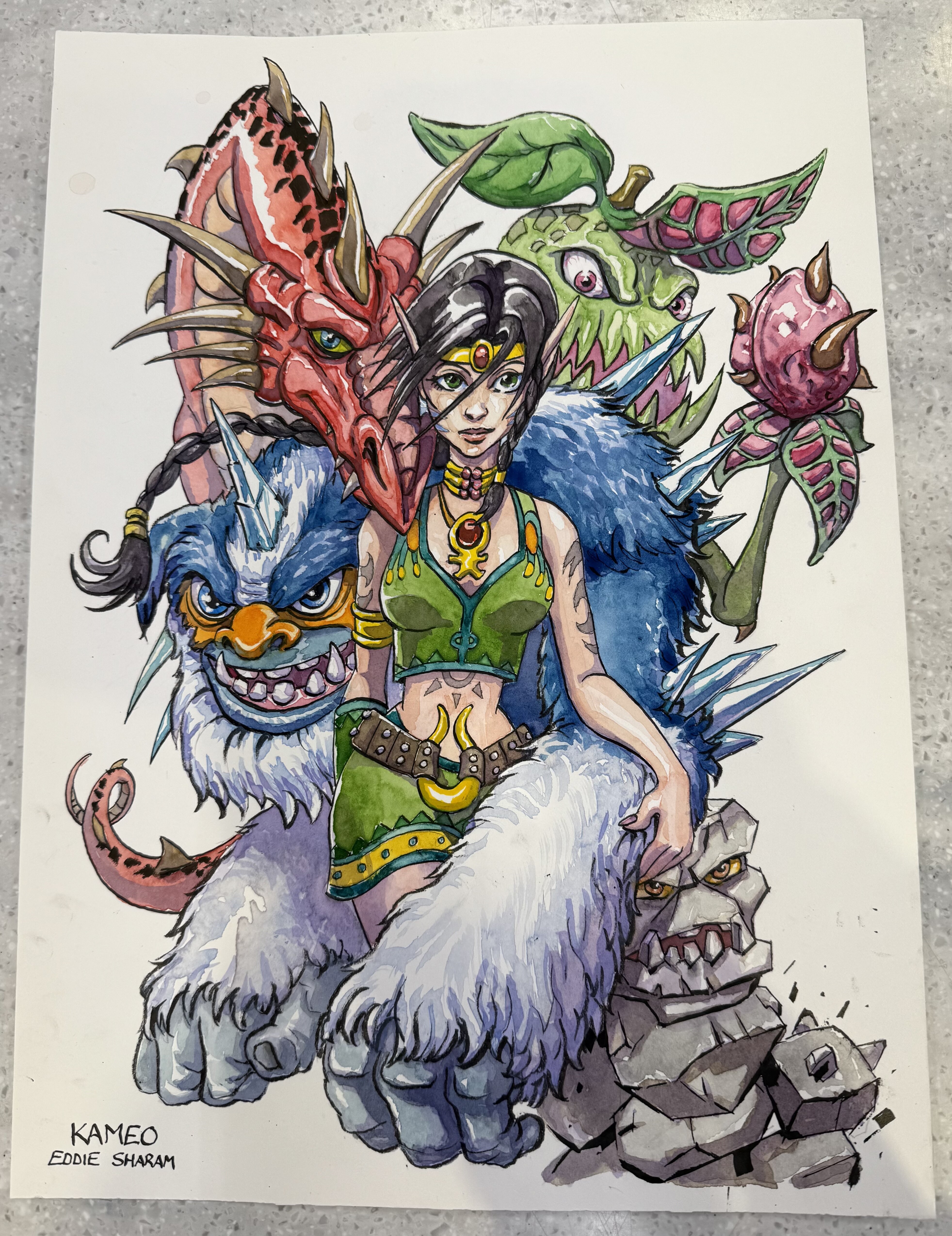
  1. Description: Kameo and her elemental warriors. Year: 2004 Medium: watercolour, coloured inks Image Area: 11x17” Image Source: Original
    • Kameo: Elements of Power Production Art

      Kameo: Elements of Power Production Art

    • Artist:
    In the Collection of Chris Redfield
    • 2 Comments
  2. Description:  This was the first game in the Pocky and Rocky series  The game was first released in arcades in 1986 and then a few ports were later released to consoles with this being noted as the vastly superior version.   Year: 1989 Medium: Original Inks Image Area: Width x Height IN/CM Image Source: Original Condition: Very Good
    In the Collection of RetroNut
  3. Description: This awesome piece is by renowned illustrator and prominent Star Wars conceptual designer, Iain McCaig, who created all the conceptual art for the game, directed the live-action portions, and painted this cover, which was digitally manipulated by the marketing company.Here’s what Iain himself wrote about it:“I was aiming at something classy—‘Killing Time’ was originally called ‘Zombie Xanadu’, and was intended to be an Agatha Christie zombie/ghost story. Alas, 3DO decided to market
    In the Collection of The Game Curator

Account

Navigation

Search

Search

Configure browser push notifications

Chrome (Android)
  1. Tap the lock icon next to the address bar.
  2. Tap Permissions → Notifications.
  3. Adjust your preference.
Chrome (Desktop)
  1. Click the padlock icon in the address bar.
  2. Select Site settings.
  3. Find Notifications and adjust your preference.